How to Choose the Best A4 Label Paper for Your Business?
Choosing the right A4 Label Paper can affect print clarity, handling time, and whether labels stay in place. A sheet may look suitable under office lighting, then curl beside a warm printer or lift from a cold storage box. Small details matter. Consider the printer type, label size, adhesive, and surface before comparing prices. Mike Fairley, a longtime label-industry analyst, has emphasized the importance of matching label materials to their intended use. A practical takeaway from that guidance is simple: choose for the job, not just the price.
Start with the label’s destination. A shipping label on a corrugated carton has different demands from a product label on a smooth glass jar. Check whether your printer uses inkjet or laser technology, and confirm that the paper is designed for it. Then examine adhesive strength, sheet compatibility, and resistance to moisture or handling. Do not assume every A4 sheet feeds smoothly; a slightly curled corner can interrupt a busy print run. Test a small pack first. It is a modest step, but easy to overlook.
This guide will help you compare paper finishes, adhesives, printer compatibility, and everyday costs. It will also consider practical trade-offs, such as stronger adhesion versus easier removal. There is no perfect sheet for every business. The best choice depends on your actual workflow, and even a careful test may reveal surprises. Use real labels, real packaging, and the conditions your team faces each day.
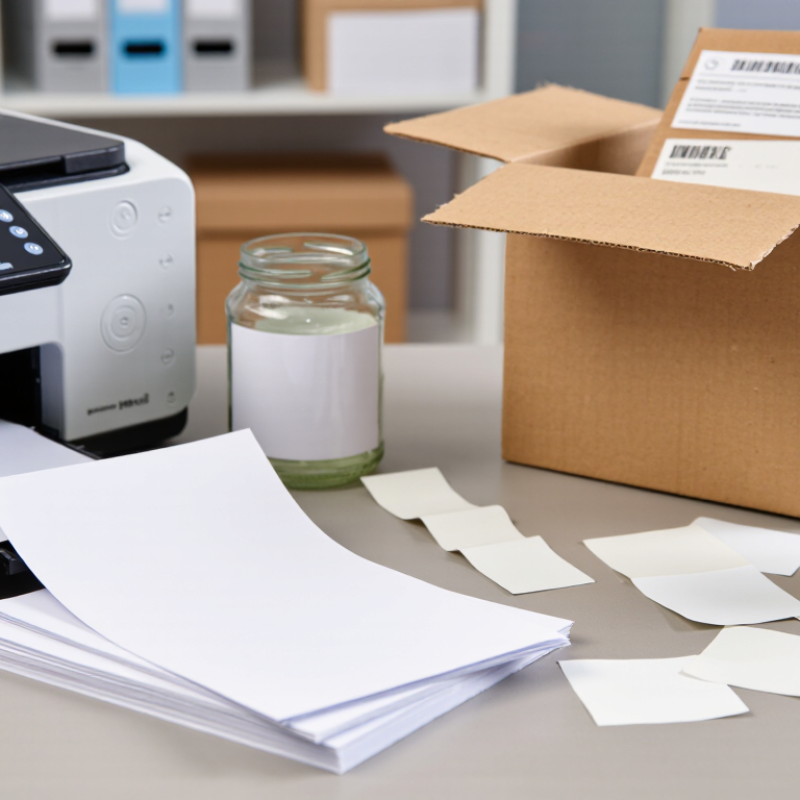
Understanding A4 Label Paper and Its Common Uses
A4 label paper is a sheet of adhesive labels on a backing liner, sized to fit standard A4 printers. Each sheet measures 210 by 297 millimetres, giving businesses a familiar format for short runs and varied label layouts. Common uses include address labels, product details, shelf tags, file identifiers, and barcodes. A small office can print only the labels it needs instead of ordering pre-printed rolls.
Online orders have made parcel identification a routine task. The U.S. Census Bureau estimated that U.S. retail e-commerce sales reached $1.19 trillion in 2024, or 16.1% of total retail sales. This figure does not measure A4 label use, but it shows the scale of retail activity that depends on clear order and parcel information. For smaller teams, A4 sheets can suit batch printing, provided each label remains readable and firmly attached.
Fit matters. Label sheets vary in adhesive strength, surface finish, and printer compatibility. Some are designed for laser printers; others suit inkjet models. Using the wrong type can cause smudging, poor adhesion, or jams, so check the printer guidance and label packaging before buying. A test sheet helps, though it may not reveal how labels behave after weeks in a cool stockroom or on a dusty carton. That part is easy to miss.
How to Choose the Best A4 Label Paper for Your Business?
Understanding A4 Label Paper and Its Common Uses
A4 paper measures 210 × 297 mm, making it a common choice for address, product, filing, and shipping labels. Before choosing label sheets, check that the sheet size matches your printer and that the label layout leaves room for printer margins. A5 and A3 are ISO 216 sizes; US Letter is 8.5 × 11 inches.
Identifying Your Business’s Labeling Requirements
Identifying Your Business’s Labeling Requirements
Before choosing A4 label paper, define what each label must do. Start with the job. Will it identify product boxes, organize files, mark shelves, or display shipping details? A label used on a smooth carton has different needs from one attached to a chilled container. Note the surface, expected handling, and storage conditions. Small details matter.
Check your printer before ordering paper. A4 sheets may suit many office workflows, but printer types handle label stock differently. Confirm the supported sheet size, paper weight, and feed path in the printer’s manual. Labels that curl or jam can waste time and materials. Test a small pack first, especially if your printer uses a tight paper path. It is easy to overlook this step.
Then consider label dimensions and daily volume. Measure the space available on the package, and leave enough room for readable text and any required codes. Estimate how many sheets your team uses in a typical week. Frequent printing may call for reliable sheet feeding and easy-to-peel labels; occasional use may make a smaller pack more practical. Match the adhesive to the surface and use: removable labels can lift from some materials, while permanent adhesives may leave residue. Results vary with temperature, dust, and surface texture, so test labels on the actual item. Planning is not always perfect. Revisit your choice after real use.
Comparing Label Materials, Adhesives, and Finishes
A4 label sheets may look alike in a pack, but their materials behave differently on shelves and in transit. Uncoated paper is easy to write on and suits address labels or short-term storage. Coated paper produces sharper color and cleaner small text, though glossy surfaces can show glare under bright lights. For damp packaging or frequent handling, a synthetic film label may resist moisture and tearing better than paper. It usually costs more, so match its durability to the job.
Adhesive choice matters just as much. Permanent adhesive holds well on clean cardboard, glass, and many plastics, but it may leave residue when removed. Removable adhesive can help with temporary pricing or inventory labels, yet it may lift at the corners on dusty or textured surfaces. Cold rooms and warm delivery vans can also change how an adhesive performs. Test the actual packaging, not just a sample stuck to a desk. Small details matter.
Finish affects both readability and handling. Matte surfaces reduce reflections and make handwriting easier; gloss can make product colors look brighter. A protective coating may help labels resist scuffs, but it can complicate writing or scanning if the surface reflects too much light. There is no perfect combination for every business. I would test a few sheets on real cartons and check them after a day of handling. That step is easy to skip—and sometimes that is the costly mistake.
Checking Printer Compatibility and Technical Specifications
Checking Printer Compatibility and Technical Specifications
A4 sounds simple, but label sheets vary in thickness, coating, and liner construction. ISO 216:2007 sets A4 at 210 × 297 mm, while ISO 536:2019 specifies how paper grammage is measured in grams per square metre. These figures help, but grammage alone cannot confirm printer compatibility. Check the printer manual for supported sheet dimensions, media weight, thickness, and feed direction. Small details matter.
Laser printers use heat to fuse toner, so choose sheets explicitly rated for laser printing; excess heat can soften adhesive and cause feed problems. Inkjet coatings must absorb ink without smearing. Check whether the printer supports labels through its straightest paper path, and avoid loading curled or damp sheets. A tray may accept A4, yet still struggle with a stiff label stock. Test one sheet.
Before a full run, print at actual size and inspect the first and last labels for alignment. Keep a few millimetres between artwork and label edges, since slight feed shifts can clip text. I would also verify the sheet’s total thickness, including liner, with the supplier’s specification. It is easy to overlook. Recheck after changing paper settings, because the wrong media type can affect feed and print quality.
Evaluating Samples to Select the Right A4 Label Paper
How to Choose the Best A4 Label Paper for Your Business?
Evaluating Samples to Select the Right A4 Label Paper
A sample sheet can look perfect on a desk and still feed poorly through your printer. Test it using the same printer, settings, and label design you expect to use at work. Check whether the sheet stays flat, feeds smoothly, and prints without smudging. Small details matter. Inspect fine text, barcodes, and dark areas under ordinary office lighting.
Test labels on the surfaces you actually use, such as cardboard cartons or plastic containers. Press each label down, then check the edges after a day. Does it peel, wrinkle, or shift? Compare several paper finishes and adhesive strengths, but change one factor at a time. Otherwise, it is hard to tell what caused the difference. A short test cannot reproduce every storage condition, so treat the result as useful evidence, not a guarantee.
Tips: Print a full A4 sheet, not just one label. Note the printer settings and test date. Keep a sample from each candidate for comparison. If results seem inconsistent, repeat the test; paper curl and room humidity can affect what you observe.

