
$0.00
Choosing Ai-Powered Glasses for a business is less about futuristic features and more about a specific work task. Can a technician see repair instructions while keeping both hands on a machine? Can a warehouse team capture information without repeatedly reaching for a tablet? These practical moments reveal whether the device fits the workflow—or adds another screen to manage.
The business case deserves careful scrutiny. McKinsey’s 2024 report, “The State of AI in Early 2024,” found that 65% of surveyed organizations regularly used generative AI in at least one business function. That signals growing interest in workplace AI, not proven returns from smart glasses. The distinction matters. A survey statistic cannot tell you whether a particular headset will reduce errors, speed inspections, or earn workers’ trust.
Test the details. Battery life, display readability, camera capability, comfort, connectivity, data handling, and software compatibility can shape everyday use. Picture a worker wearing the device through a full shift, in bright light, while following a short instruction and calling a remote expert. Does the image remain clear? Can the worker use it without awkward gestures? What happens when the network drops?
Small trials help. Track task time, error rates, user feedback, and support costs against the current process. Be ready for an inconvenient result: a capable device may still be uncomfortable or disruptive. That is worth learning early. A sound buying decision starts with the job, checks the evidence, and treats vendor claims as questions to verify.
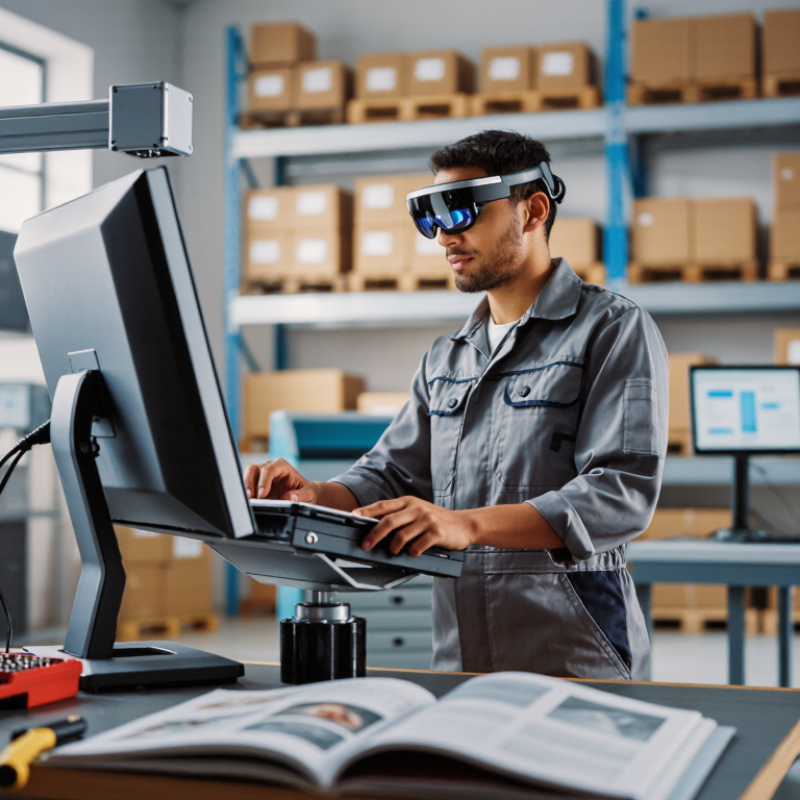
Before comparing features, list the tasks employees repeat and where their hands or attention are occupied. Microsoft’s 2023 Work Trend Index reported that users spent 57% of work time communicating and 43% creating in Microsoft 365. That split is a useful prompt, not a buying rule. Identify whether glasses should display instructions, capture voice notes, translate speech, or connect staff with remote experts. Be specific: a technician reading a checklist beside a humming pump has different needs from a warehouse worker locating a shelf.
Define success for each task. For inspections, measure time per inspection and missed checklist items. For remote support, track how quickly an expert can see what the wearer sees. Test voice recognition in realistic noise, display readability under bright lights, and battery life across a full shift. AI can mishear equipment names or surface outdated instructions. That matters. Decide which outputs need human review, and confirm the glasses can access only the information required for the task.
Tips: Run a short pilot with real employees and ordinary work conditions. Record errors, delays, and moments when users remove the glasses. Ask staff what felt awkward; the answer may challenge the original task list. Start with one measurable workflow, then expand only when results justify it.
Identify the business tasks where hands-free access to visual guidance or remote expertise can make a practical difference.
Example task-fit ratings use a 1–5 planning scale, not measured industry data. Higher scores indicate tasks that more naturally benefit from hands-free, in-view support. Validate ratings with a pilot, including privacy, comfort, connectivity, and safety requirements.
For business use, compare AI features against a real task, not a polished demonstration. Voice transcription can help technicians keep both hands free; visual recognition may identify a part and surface its service record. Ask whether AI runs on the glasses or depends on cloud access. Cloud tools may lag when warehouse Wi-Fi drops. Check microphone clarity beside machinery, camera field of view, and physical mute controls. Small details matter. McKinsey Global Institute estimated generative AI could add $2.6 trillion to $4.4 trillion annually across 63 use cases. That is broad potential, not a glasses-specific return; workflow fit still needs testing.
Sensor lists can mislead. An accelerometer and gyroscope track head movement, but cannot confirm a worker inspected the correct component. Depth sensors may support spatial guidance, though they can increase power use. Compare battery life with camera and AI features active, not just standby time. GSMA’s Mobile Economy 2024 reported 1.6 billion 5G connections at the end of 2023, projecting 5.5 billion by 2030. That signals network growth, not reliable coverage inside every building. Pilot Wi-Fi, Bluetooth tethering, and cellular options in actual work areas. Record connection drops, response delays, and battery drain. One awkward finding may be enough: the simpler model can sometimes serve the team better.
Check how the glasses fit the work already being done. Confirm supported phones, operating systems, Wi-Fi or Bluetooth needs, and whether required apps connect to existing inventory or service systems. Ask how software updates are delivered and how long devices receive support. Test them in the actual setting: a noisy warehouse, bright loading bay, or shared office can expose problems a product sheet will not. Comfort matters, too. Heavy frames tend to come off.
Treat the camera and microphone as sensitive tools. Find out when recording is active, whether clear indicators appear, and who can start or retrieve a recording. Ask where images, voice clips, and transcripts are processed and stored, how long they remain, and whether deletion can be verified. Prefer clear controls for permissions, encryption, user access, and audit records. Set practical rules for customer-facing areas and private workspaces, and explain them to staff. Good intentions are not a privacy plan.
Check whether the device supports your security management process, including account controls, lost-device response, and timely patching. A pilot with a small team can reveal awkward permission prompts or unreliable connections before wider deployment. Measure task completion and accidental captures, not just novelty. One limitation: a checklist can look complete while daily habits drift. Review settings and training after the trial, and assign someone to revisit them. Some details will be missed; that is easy to underestimate.
Choosing AI-powered glasses for business starts with the person wearing them, not the feature list. Ask staff to wear a sample pair during a normal task, such as checking stock or recording a service issue. Notice pressure on the nose, slipping during movement, and heat after an hour. Small details matter. A frame that feels fine in a short demo may become distracting by lunchtime.
Tips: Check weight, adjustability, lens options, and how easily the device can be cleaned. Ask whether its materials suit the workplace, including exposure to dust, moisture, or frequent handling. Confirm it does not interfere with required safety equipment. Comfort is personal, so gather feedback from several employees.
Durability should match actual use, not an imagined worst-case scenario. Inspect hinges, buttons, and charging connections, and ask how routine wear is assessed. Workplace suitability also depends on the task: voice commands may work in a quiet inspection area but fail beside loud machinery. Consider where cameras or microphones point, and explain clearly when recording is active. A short pilot helps, but it can miss problems across a full shift. I would review staff feedback after several weeks, then adjust training or device choice.
Compare the full cost, not just the device price. Include frames, software, setup, connectivity, staff training, repairs, battery replacement, and support hours. A headset that saves two minutes per inspection may still lose value if each shift needs extra charging or troubleshooting. PwC’s 2020 enterprise study found that virtual-reality learners completed soft-skills training up to four times faster than classroom learners. That result is not a guarantee for AI glasses; the task and technology differ. Measure your own workflow.
Run a small pilot before buying for every team. Choose one repeatable job, such as checking equipment labels or viewing remote repair instructions. Record task time, error rates, comfort, and how often workers need help. Compare results with the current method, including setup and downtime. Ask users to wear the glasses through a normal shift, not just a short demonstration. Your first estimate will be wrong. That is useful; revise the cost model using actual results.
Tips: Pilot with a few roles and varied shifts. Set a clear success target, such as fewer repeat checks without slower task completion. Track charging time and support requests. Keep an exit option if the glasses cause discomfort or add steps. Small samples can mislead, so extend the test when results vary.
| Device Category | Potential Business Uses | Typical Capabilities to Check | Estimated Hardware Cost per User | Estimated Software Cost per User | Accessories and Setup | Estimated Two-Year Cost per User | Pilot Checks and Suggested Success Measures |
|---|---|---|---|---|---|---|---|
| Audio-first smart glasses | Hands-free calls, voice notes, reminders, and basic spoken AI assistance for mobile or field teams. | Microphone clarity in workplace noise, speaker privacy, voice-assistant compatibility, battery life, and phone connectivity. AI functions may rely on a paired phone or cloud service. | $250–$500 | $0–$300 per year | $50–$150 for cases, replacement parts, or basic onboarding | $300–$1,250 | Test in typical noise conditions. Track task completion time, call quality, daily comfort, battery performance, and whether employees can use the glasses without disrupting nearby workers. |
| Camera-enabled smart glasses | First-person photo or video documentation, remote assistance, visual work instructions, and image-based AI tasks where permitted. | Camera quality, recording indicators, permissions, data retention controls, network requirements, and compatibility with approved business applications. | $400–$900 | $120–$600 per year | $75–$200 for protective cases, spare charging equipment, or onboarding | $715–$2,300 | Measure documentation time, connection reliability, image usability, and user acceptance. Confirm workplace privacy rules and obtain any required consent before recording. |
| Rugged industrial smart glasses with a display | Hands-free checklists, remote expert support, work instructions, and visual guidance in warehouses, manufacturing, utilities, or field service. | Display readability, fit with required protective equipment, durability, battery and shift coverage, hands-free controls, device management, and offline behavior. | $1,500–$3,500 | $300–$1,200 per year | $200–$600 for mounts, protective accessories, configuration, or training | $2,300–$6,500 | Compare task time and error rates with the existing process. Test in actual work conditions, including gloves, lighting, connectivity gaps, and required safety equipment. |
Planning assumptions: Cost ranges are indicative estimates, not vendor quotes. Two-year totals are calculated as hardware plus two years of software plus accessories and setup. They exclude taxes, phones or other host devices, mobile data, internal IT time, and any costs not listed. Confirm current pricing, compatibility, privacy controls, and safety requirements before purchase.